Desert Tower Building Puzzle
Reviews
Desert Tower Building Puzzle offers a calming yet engaging experience. The bright desert setting and simple click-to-stack mechanics make it easy to pick up. The challenge grows as you build higher, testing your precision and patience. It runs smoothly on both desktop and mobile, with no downloads needed. A great choice for casual gamers seeking a quiet, satisfying puzzle.
About This Game
Game Introduction
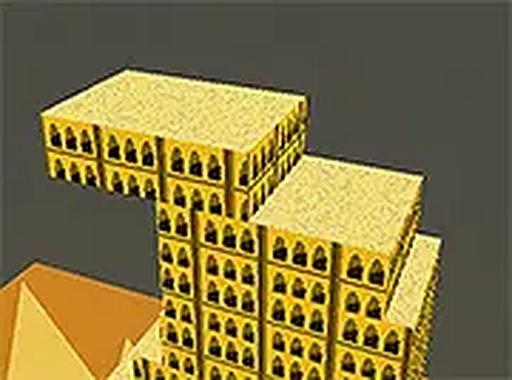
Desert Tower Building Puzzle is a block stacking game set in a bright desert landscape. The main objective is to build the tallest tower possible by placing blocks one on top of another. Each block must be positioned carefully to keep the structure stable. The game is simple to learn but offers a satisfying challenge that requires precision and patience. Because it runs directly in a browser, no downloads are needed, making it a convenient choice for quick gaming sessions or longer play. The peaceful desert theme adds to the relaxing experience, providing a calm environment for players to focus on their stacking skills.
How to Play
To play Desert Tower Building Puzzle, players click or tap to place each block on top of the previous one. The key is to align the blocks as accurately as possible. A steady hand and careful timing help build a taller tower. With each successful placement, the tower grows. If a block is misaligned, the tower may become unstable and fall, but players can restart at any time to try again. The game works on both desktop and mobile devices, and full screen mode is available for a better view. Practice helps improve stacking skills and achieve higher scores.
Game Features
Desert Tower Building Puzzle includes a fun block stacking puzzle, a desert theme, free access, no downloads required, mobile-friendly design, and full screen mode. The controls are simple and responsive, making the game suitable for players of all ages. It provides a calm yet engaging challenge that can be enjoyed in short sessions or for longer periods.
Tips for Success
Focus on aligning each block as centrally as possible to maintain balance. Take time between placements to ensure accuracy. If the tower sways, try placing the next block slightly in the opposite direction to compensate. Regular practice improves hand-eye coordination and timing. Do not get discouraged by falls—each attempt helps you learn the subtle mechanics of stacking.