Finger Soccer Arcade Sports
Reviews
Finger Soccer succeeds by stripping soccer down to its most essential action: aiming and shooting. The mouse-based controls are responsive, and the multiple modes prevent the gameplay from feeling repetitive. Playing against a friend on the same computer adds a welcome social element. While the graphics are basic, the focus on clean, immediate gameplay makes it easy to recommend for short gaming sessions. It offers good replay value for a free browser game.
About This Game
Game Introduction
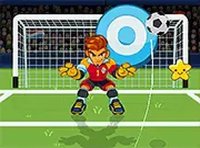
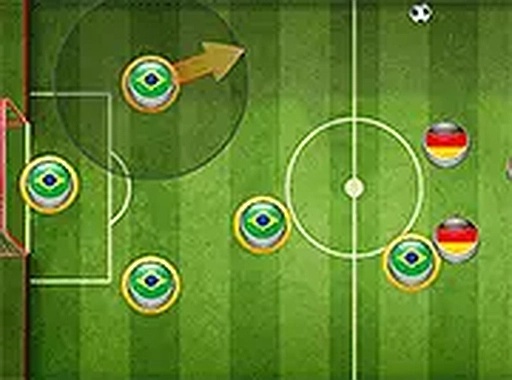
Finger Soccer Online Arcade Game brings the excitement of soccer to your computer with a simple, finger-flicking control scheme. Instead of complex button combinations, you use your mouse to aim and click to send the ball flying toward the opponent's goal. The core concept is easy to grasp: score more goals than your rival within the time limit. The game offers multiple modes, each adding a unique rule or twist to keep matches fresh. Whether you practice against a computer opponent or challenge a friend on the same device, every match is fast and focused on precise aiming and timing. The clean visuals and responsive controls ensure that players of any age can jump in and start playing immediately.
How to Play
To play Finger Soccer, start by selecting your preferred game mode from the main menu. You can choose to play alone against an AI opponent or invite a friend for a two-player match on the same computer. Once the match begins, use your mouse to aim at the soccer ball. A simple click sends the ball in the direction you aimed. Your goal is to outscore your opponent by directing the ball into their goal while defending your own. The controls are intentionally simple, so you can focus on strategy and shot placement. Pay attention to the ball's speed and angle, and time your clicks carefully to beat the goalkeeper or your friend's defense. The first player to reach the target number of goals wins.
Game Features
Fun and intuitive mouse-based controls make the game easy to learn. Multiple game modes offer different challenges and rule variations. Single-player mode lets you practice against a computer opponent. Two-player mode allows head-to-head matches on the same computer. Free to play with no downloads or installations required.
Tips for Success
To improve your performance, practice your aim and timing in single-player mode before taking on a friend. Observe the ball's trajectory and adjust your clicks accordingly. Use the variety of game modes to challenge yourself and develop different strategies. Stay calm and focused, as precise clicks are more effective than rushed ones. Finally, enjoy the fast-paced matches and learn from each game to refine your technique.