Goalkeeper Challenge Sports Game
Reviews
Goalkeeper Challenge offers a clean and focused gameplay loop. The core mechanic of diving to block shots is easy to learn but hard to master. As the speed increases, the game becomes a true test of reflexes. It provides good replay value for short sessions. The lack of clutter and ads makes it a pleasant experience for casual players.
About This Game
Game Introduction
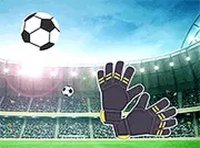
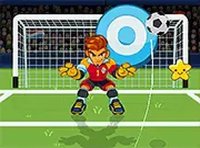
Goalkeeper Challenge is a sports arcade game that puts you in the role of a soccer goalkeeper. Your main objective is to block powerful shots from a striker and prevent the ball from entering the goal. The game offers a simple yet thrilling experience for soccer fans and anyone who enjoys fast-paced challenges. It tests your timing and hand-eye coordination, with increasing difficulty as you make successful saves. No downloads are required, so you can start playing right away on any device.
How to Play
In Goalkeeper Challenge, you control the goalkeeper's movements to block incoming shots. Players typically use their mouse on a computer or their finger on a touchscreen device. Watch the striker as they prepare to kick, then quickly move your cursor or tap in the direction you want to dive. Time your movement perfectly to intercept the ball. The game becomes faster as you progress, demanding sharper reflexes. You can play in full screen mode for a more immersive view. There are no complicated controls, just pure reaction-based gameplay.
Game Features
Goalkeeper Challenge includes exciting reflex-based gameplay that increases in speed as you succeed. It is free to play with no download or registration required. The game works on desktop and mobile browsers, making it accessible from any device. Full screen mode is available for an enhanced experience. The core feature is the simple one-on-one challenge between you and the striker, with each save raising the difficulty and rewarding points.
Tips for Success
To improve your performance in Goalkeeper Challenge, focus on watching the striker's body language to anticipate the direction of the shot. Practice your reaction time by staying relaxed and keeping your eyes on the ball. As the game speeds up, try to stay calm and make quick decisions. Regular practice will help you recognize patterns and improve your diving accuracy. Remember that even a failed save is a learning opportunity to refine your timing.