Ducky Quest: A Platform Adventure
Reviews
Ducky Quest offers a delightful platform experience with straightforward controls that anyone can pick up. The colorful graphics create an inviting world, and the goal of collecting fruits adds a satisfying sense of completion. It is a great choice for a short break or a longer play session.
About This Game
Game Introduction
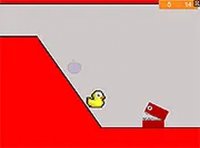
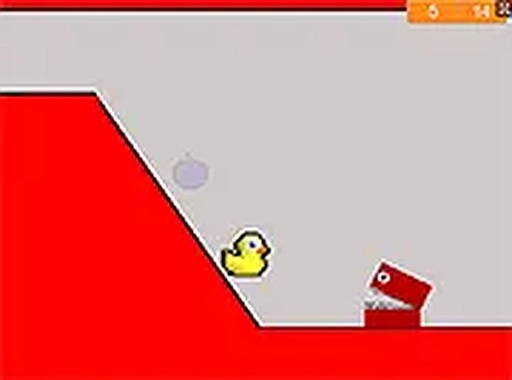
Ducky Quest is a platform adventure game where players guide a duck on a mission to retrieve its sandwich, which was taken by a character named Bob. The game takes place across various levels filled with obstacles and opponents. The main goal in each level is to collect all the purple fruits scattered throughout the environment. By gathering these fruits, players clear the path forward. The game features bright and colorful graphics that create a cheerful atmosphere. Controls are straightforward, making the game accessible to players of different ages. Ducky Quest runs directly in a web browser, so no downloads or installations are needed. It is designed for desktop computers and supports both keyboard and mouse input. A full screen mode is available for a more focused experience. Whether you have a short break or more time to play, the game offers a balance of fun and challenge.
How to Play
Players control the duck using keyboard or mouse inputs to move left, right, and jump. Jumping is essential to reach higher platforms and avoid obstacles. The primary objective in each level is to collect every purple fruit. To progress through a level, players must also overcome opponents by jumping on them. The game is optimized for desktop play, so it works best on a computer. Full screen mode can be enabled for a better view. Simply navigate through the levels, gather all fruits, and complete each stage to help the duck recover its sandwich. The game is free to play, so you can start playing immediately.
Game Features
Ducky Quest offers platform gameplay with a focus on fruit collection. Players must overcome opponents by jumping on them. The game includes a full screen mode for an improved visual experience. It is free to play with no downloads required. Controls are simple and suitable for all ages. The graphics are colorful and engaging. The game is available directly in a web browser on desktop computers.
Tips for Success
Take your time to learn the movement and jumping mechanics. Practice jumping on opponents to overcome them efficiently. Focus on collecting all fruits in each level to ensure progress. Use full screen mode for a clearer view of the environment. Regular practice will help you navigate levels more smoothly.