
Daily Jigsaw Puzzle Challenge
Reviews
Daily Jigsaw Puzzle Challenge is a wonderful way to relax and keep your mind engaged. The daily puzzles provide variety, and the ability to replay older puzzles adds value. The game is easy to use on any device, with no downloads required. It is a great choice for puzzle lovers of all ages.
About this game
Game Introduction
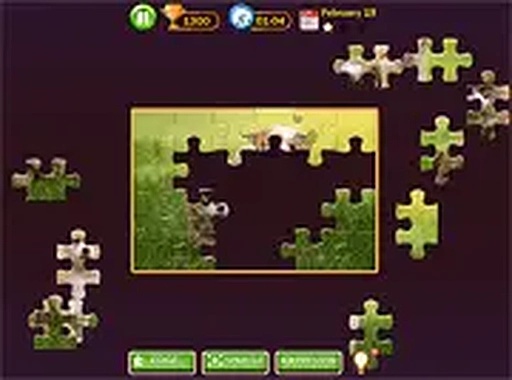
Daily Jigsaw Puzzle Challenge is a browser-based puzzle game that offers a new jigsaw puzzle each day. Designed for players of all ages, it provides a relaxing yet engaging way to spend time. Each day, a unique image is unlocked, and players arrange scattered pieces to reveal the full picture. The game runs instantly in any modern browser without downloads or installations. It supports both mobile devices and desktop computers, with a full-screen mode for an immersive experience. Whether you have a few minutes or an hour, this game fits into your schedule. You can also revisit puzzles from previous days, ensuring you never miss a challenge. This daily ritual is perfect for unwinding and keeping your mind sharp.
How to Play
Starting a puzzle is simple. Each day, a new puzzle becomes available. Select the current day's puzzle to begin. The pieces are randomly scattered on the screen. Click or tap a piece, then drag it to the correct position on the grid. Release to place it. As you match pieces, the image gradually forms. You can zoom or pan if needed, and the game saves your progress automatically. To access older puzzles, use the calendar feature. The controls are intuitive and responsive on touchscreens and mice alike. No tutorials are required—just start dragging and enjoy the process. The goal is to complete the entire image, which provides a satisfying sense of accomplishment.
Game Features
Daily new puzzles keep the content fresh. The game is completely free to play with no hidden costs. It works on mobile phones, tablets, and desktop browsers. Full-screen mode enhances focus and enjoyment. No downloads or sign-ups are required. You can replay puzzles from previous days. The interface is clean and easy to navigate.
Tips for Success
To get the most out of your daily puzzle experience, try to solve puzzles consistently each day to build your skills. Start by identifying edge pieces and corners, as they form the frame of the image. Group pieces by color or pattern to make matching easier. Take breaks if you feel stuck—sometimes a fresh perspective helps. Use the zoom feature to examine details more closely. Finally, enjoy the process and don't rush; the satisfaction comes from completing the picture at your own pace.








Comments
0 comments