
One Line Logic Puzzle
Reviews
One Line Logic Puzzle offers a satisfying mental challenge with its simple one-stroke mechanic. The 50 levels are well-paced, starting easy and becoming genuinely tricky. The clean interface and responsive controls make it a joy to play. A great choice for puzzle enthusiasts.
About this game
Game Introduction
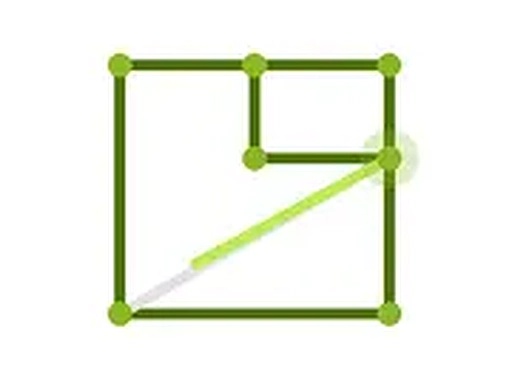
One Line Logic Puzzle is a brain-teasing game that challenges your ability to plan a path. Each level presents a set of dots arranged in a specific pattern, and your goal is to draw one continuous line that connects all the dots without lifting your mouse or retracing any segment. The game starts with simple shapes and gradually introduces more complex configurations with multiple intersections. It is designed for desktop play and offers a clean, distraction-free interface. With 50 levels across 6 packages, there is plenty of content to keep you engaged. The puzzles require careful thought and foresight, making it a great choice for anyone who enjoys brain teasers or wants a quick mental workout.
How to Play
On your desktop, use your mouse to click and drag from one dot to another to draw a line. You must connect all dots in a single continuous path. You cannot lift the mouse button or go over the same line twice. Each level has a specific figure outline that you need to recreate. You can start from any dot, but your path must cover every connection. If you make a mistake, use the undo feature or restart the level. The controls are precise and responsive, allowing for careful planning. As you progress, puzzles become more challenging with additional dots and crossing lines. Take your time and think ahead before drawing.
Game Features
50 levels are divided into 6 packages for progressive difficulty. The one-stroke mechanic is simple to understand but hard to master. Desktop-optimized controls provide smooth mouse interaction. A free full-screen mode removes distractions. Each level has a unique dot configuration, ensuring variety. Undo and restart options let you experiment without penalty.
Tips for Success
Start by studying the entire dot pattern before drawing. Look for symmetrical or repeating sections that might indicate a logical path. Try different starting points to see which leads to a complete connection. Use the undo feature freely to backtrack without restarting. Practice regularly to improve your pattern recognition and planning skills. If stuck, take a short break and return with fresh eyes.






Comments
0 comments